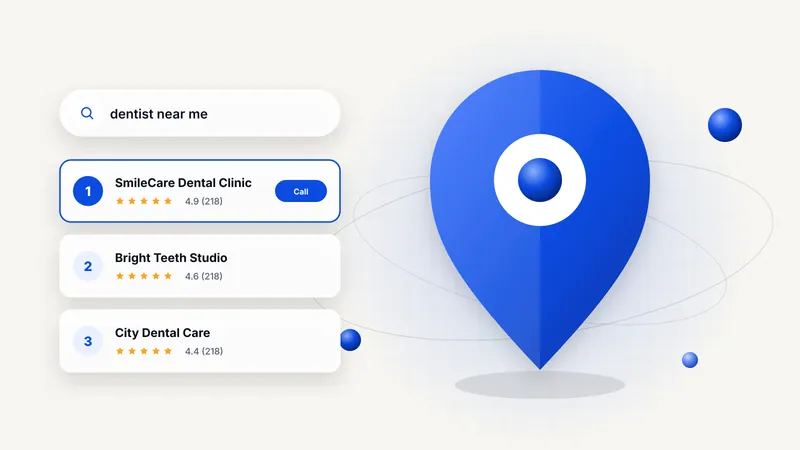
When someone in Kakinada searches "dentist near me", "best biryani in Kakinada" or "interior designer near me", Google shows a map with three businesses before any regular website. That box is called the local map pack, and for most local businesses it is the single most valuable spot on the internet.
The good news: you don't need a big budget to get there. You need a well-built Google Business Profile, a steady stream of genuine reviews and a website that tells Google clearly what you do and where you do it. This guide walks you through each step.
Why the map pack matters
Local searches have strong intent. A person searching "clinic near me" usually wants to visit or call today. Being in the top three means you get the calls, direction requests and walk-ins; being in position eight usually means you get almost nothing.
Google decides the local ranking using three broad factors:
- Relevance: how well your profile and website match what the person searched
- Distance: how close your business is to the searcher
- Prominence: how well known and trusted your business is (reviews, mentions, links)
You can't change your distance, but you can strongly improve relevance and prominence.
Step 1: Claim and complete your Google Business Profile
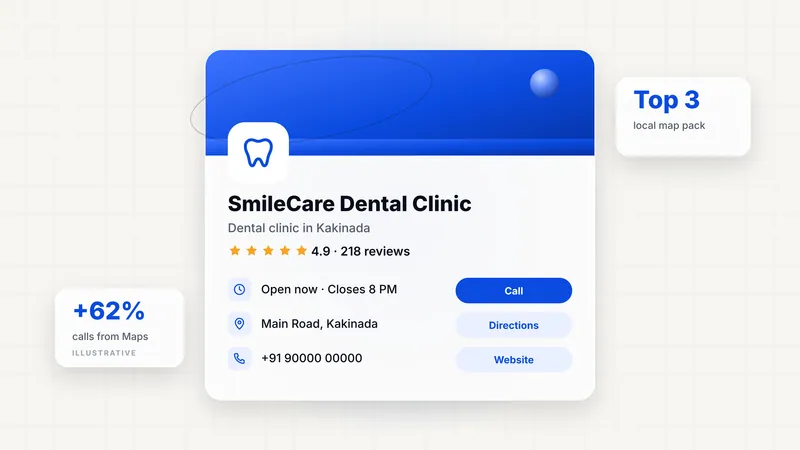
Your Google Business Profile (GBP) is the listing that appears on Maps. If you haven't claimed it, search for your business on Google Maps and choose "Claim this business", or create it at google.com/business.
Then fill in everything:
- Business name: your real name exactly as on your signboard. Don't add keywords like "Best Dentist Kakinada"; Google can suspend profiles for that.
- Primary category: this is the most important ranking field. Choose the most specific option ("Dental clinic", not "Doctor").
- Secondary categories: add the other services you genuinely offer.
- Address and service area: accurate, with a correctly placed map pin.
- Hours: including special hours for festivals like Sankranti and Diwali.
- Phone and website: use a number you actually answer, and link to your website's most relevant page.
- Services and products: list each one with a short description and price where possible.
- Description: 750 characters explaining what you do, who you serve and which areas.
Step 2: Add photos, every week
Profiles with real, recent photos look active and trustworthy. Add your storefront (so people recognise it), the interior, your team, your work and your products. Aim for a few new photos every week rather than fifty in one day.
Avoid stock photos. Customers can tell, and so can Google.
Step 3: Build a steady flow of genuine reviews
Reviews influence both your ranking and whether people choose you. The best approach is simple and consistent:
- Ask every happy customer, right after a good experience.
- Make it easy: share a direct review link on WhatsApp or print a QR code at your counter.
- Reply to every review within a day or two, positive or negative. A calm, helpful reply to a complaint often wins more trust than a five-star review.
- Never buy reviews or offer discounts in exchange for them. It violates Google's policies and can get reviews removed or your profile suspended.
A business with 80 recent, detailed reviews will almost always outrank one with 15 old ones, even if the second business is closer.
Step 4: Keep your name, address and phone consistent
Google cross-checks your details across the web: Justdial, Sulekha, IndiaMART, Facebook, Instagram and your own website. If your phone number or address differs between them, Google is less confident about your business.
Make a list of every place your business is listed, and update them so your name, address and phone number (NAP) match exactly, character for character.
Step 5: Make your website support your profile
Your Google Business Profile ranks better when it links to a fast, clear website. Your site should have:
- A page for each main service, with the city name used naturally ("Root canal treatment in Kakinada")
- Your full address and phone number in the footer of every page
- LocalBusiness schema markup, so Google can read your details automatically
- An embedded Google Map on the contact page
- Fast loading on mobile, because most local searches happen on phones
Step 6: Post updates on your profile
Google Business Profile lets you publish posts with offers, events and news. They don't need to be long. A weekly post with a photo, such as a new product, a festive offer or a recent project, shows Google and customers that you're active.
How long does local SEO take?
If your profile is new or incomplete, completing it properly can show improvements within 4 to 8 weeks. Competitive categories in busy areas take longer and depend on how quickly you build reviews. Local SEO isn't a one-time task; the businesses that stay on top are the ones that keep adding photos, reviews and posts every month.
Quick checklist
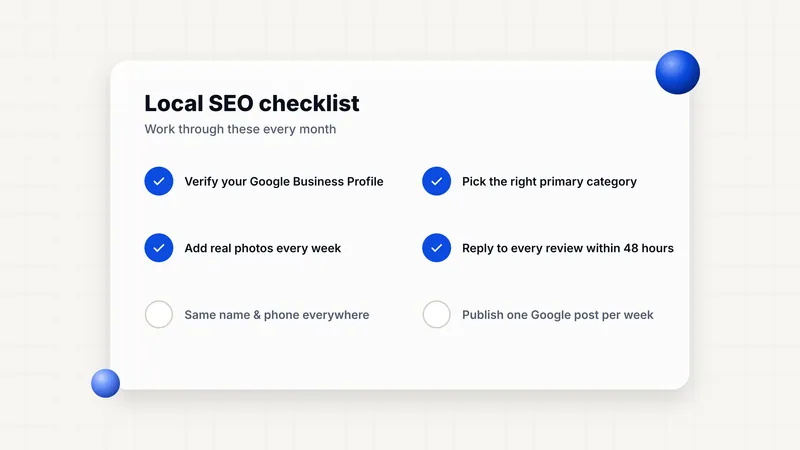
- Claim and verify your Google Business Profile
- Choose the most accurate primary category
- Complete every field, including services and hours
- Add real photos every week
- Ask for reviews, and reply to all of them
- Fix your name, address and phone on every listing
- Build service pages on your website for each offering
- Post an update every week
Want us to do this for you? We set up and manage local SEO for businesses across Kakinada and Andhra Pradesh. Book a free consultation and we'll audit your Google Business Profile for free.